Rodok

A sequence is a series of touches spaced over days: emails sent from your own mailbox, and tasks for the things you do by hand (a LinkedIn message, a call). It stops for a person as soon as they reply, book a meeting or unsubscribe.
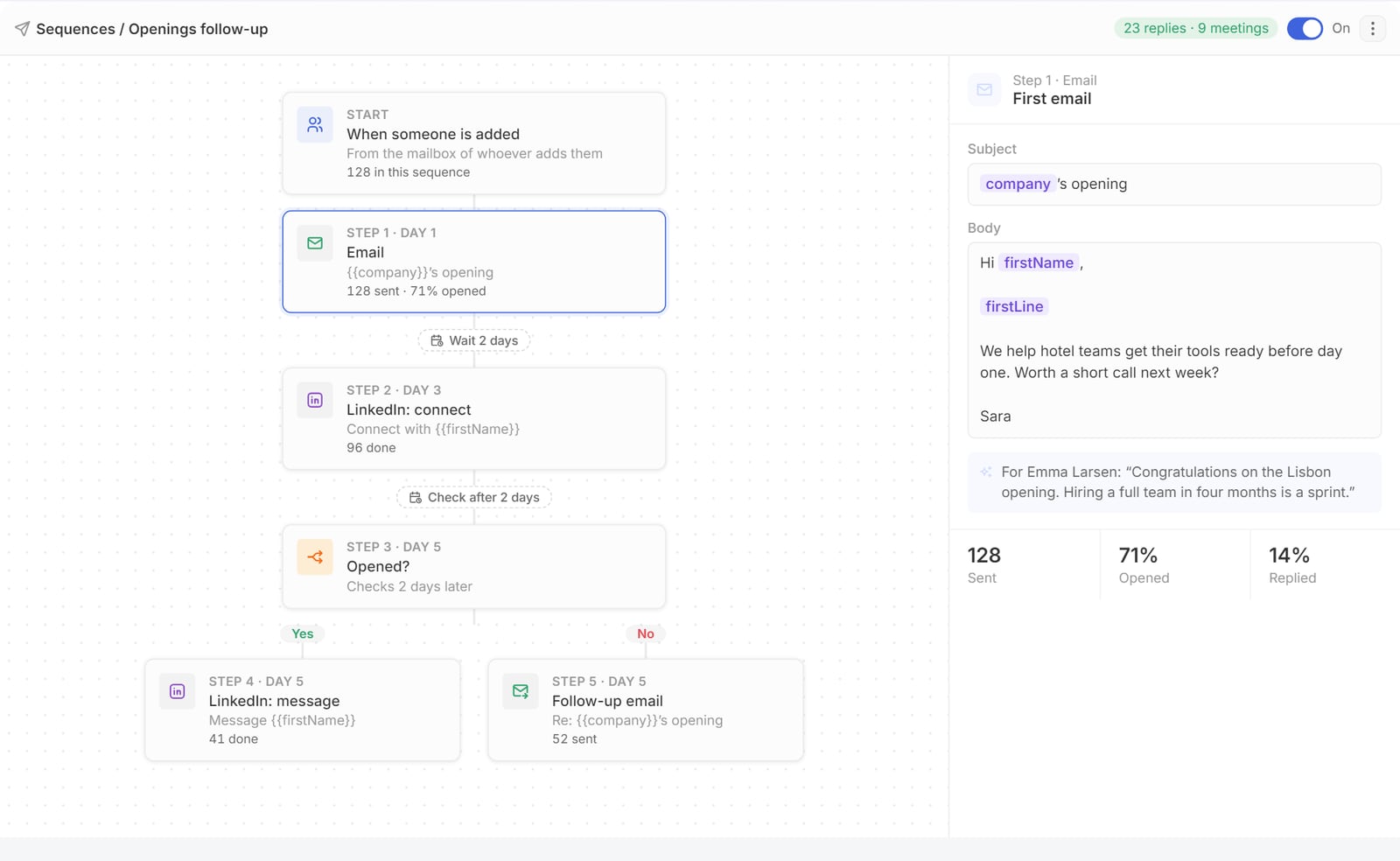
Build one
- Open Sequences and create a new sequence.
- Either click Describe it and say what you want ("three emails over ten days to new VPs of Sales, then a LinkedIn message"), or add the steps yourself.
- Click the Start step to choose who it sends from and when: the mailbox, the sending days and hours, and the daily limit.
- Add steps with the + buttons. The "Wait N days" chips between steps set the spacing.
- Use Preview to see each email as it will arrive, in Gmail, Outlook or on a phone.
The steps you can add
| Step | What it does |
|---|---|
| Sends from your mailbox. Follow-ups reply in the same thread unless you choose a new one. | |
| Task | Asks you to do something: call, LinkedIn connect or message, SMS, WhatsApp. |
| Condition | Splits Yes / No on a rule: opened, clicked, has a phone, has an open deal, any field. |
| Split | Several named paths, for example one per seniority or country. |
| Update a field | Changes something on the contact or their company. |
| Run an automation | Anything else: post to Slack, create a deal, call a webhook. |
| Move to another sequence | Ends this one and starts the next. |
Personalize the emails
Use variables in double braces: {{firstName}}, {{company}}, and a fallback for when one is empty: {{firstName|there}}. {{aiLine}} is a line written for each person when the email is sent. {{bookingLink}} inserts your booking link.
You can also write two versions of an email to test them against each other.
Add people
Click Add people and choose where they come from: a saved view of People or Companies, people you pick, or pasted emails or a CSV. Before anyone is added, Rodok shows who goes in and who is skipped, and why (no email, already in the sequence, unsubscribed).
You can also add people from Signals, Leads and People with Add to sequence.
Sending safely
- Emails go out only inside your sending window, in your workspace's time zone.
- Each mailbox has a daily limit (40 by default) and at least 90 seconds between sends.
- Review mode queues each email for you to approve instead of sending it.
- Every email carries an unsubscribe link. Someone who unsubscribes is never emailed by a sequence again.
See Keep your emails out of spam.
When it stops
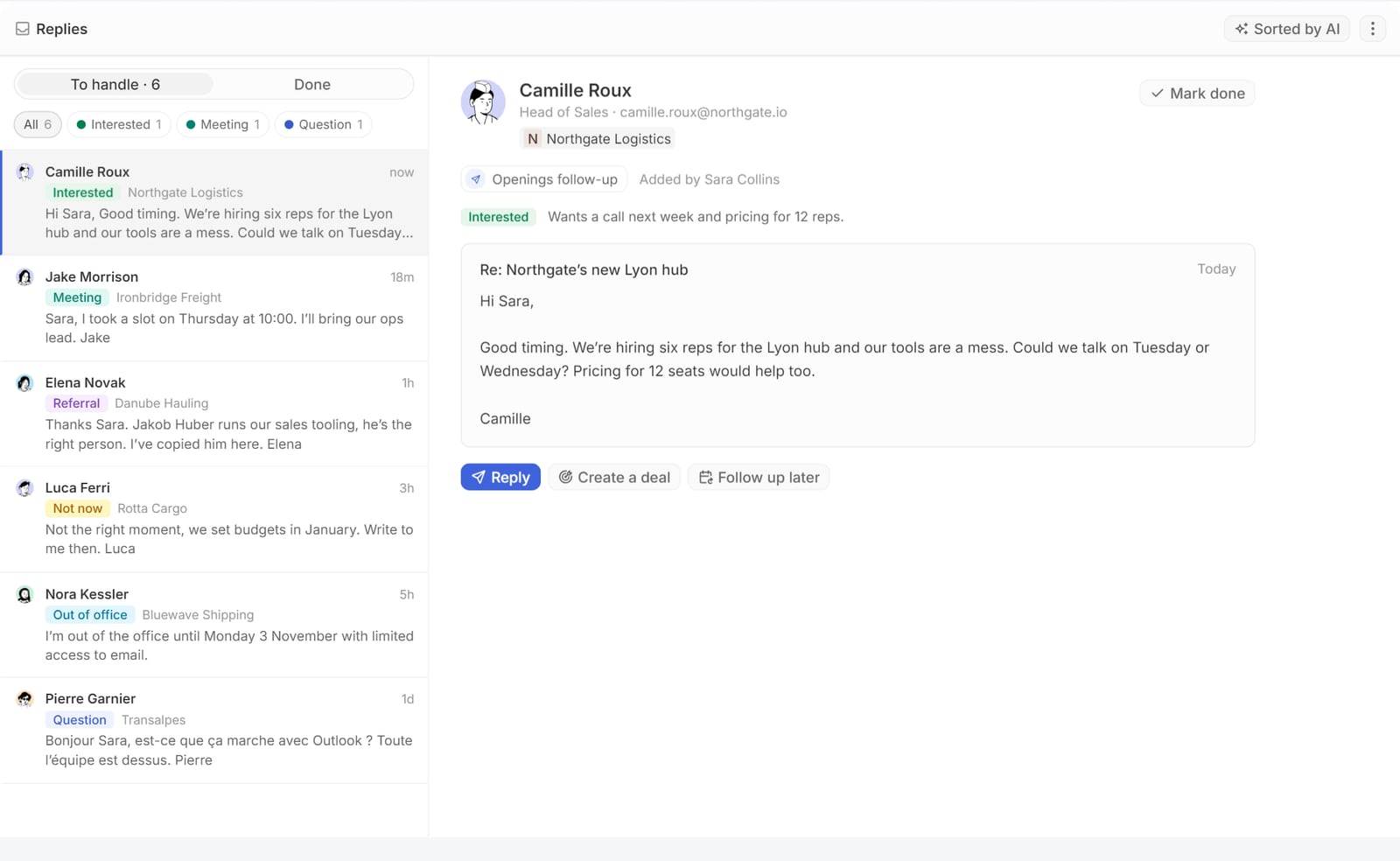
A sequence stops for a person when they reply, when their email bounces, when a meeting with them is booked, or when they unsubscribe. The Overview tab shows sent, opened, replied and meetings, step by step.