Rodok

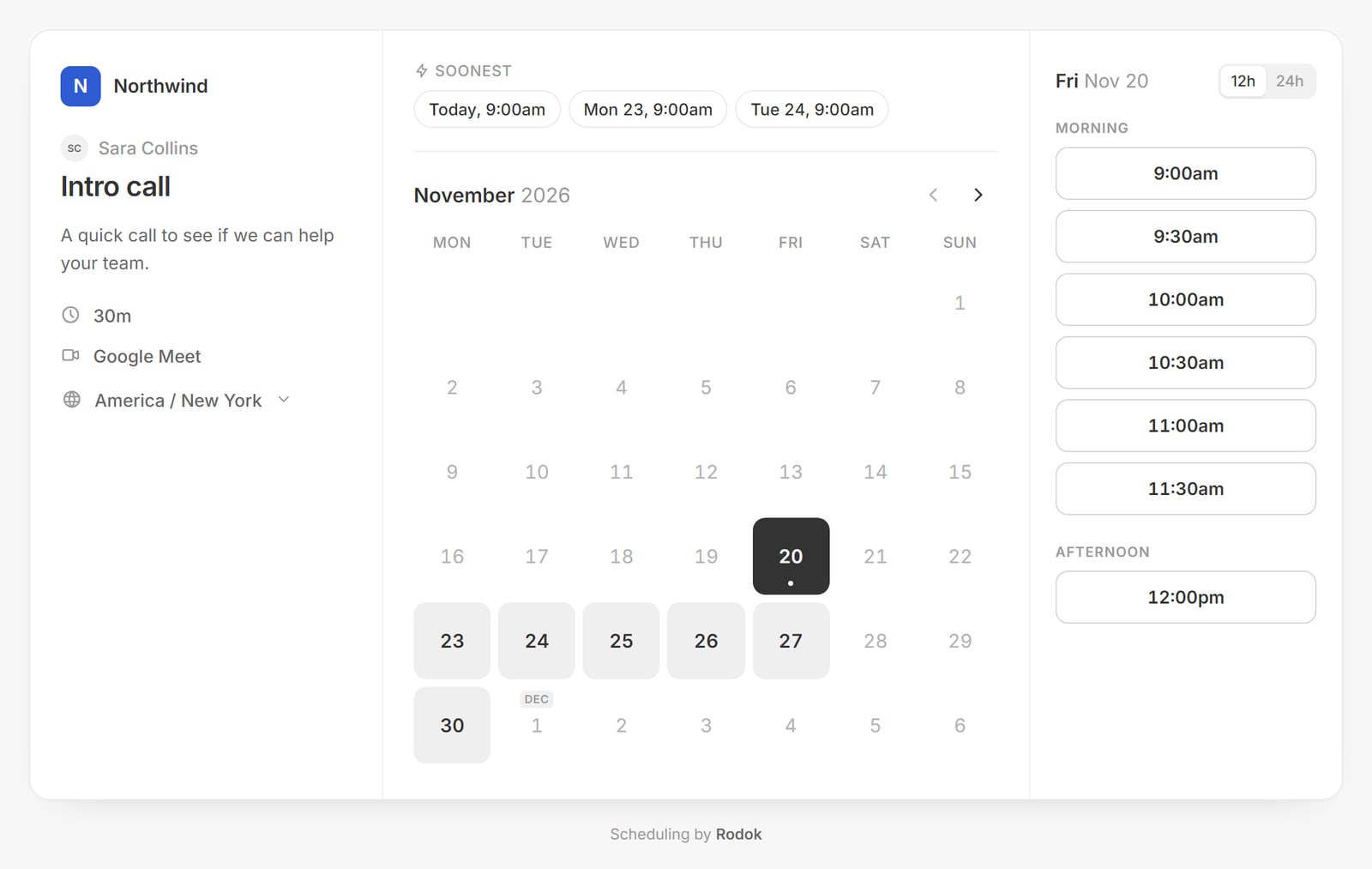
Your booking link is a page where someone picks a free time with you, without the back and forth. Bookings appear on the contact in your CRM and in your calendar.
Set it up
- Open Settings → Booking link.
- Choose your handle. Your page is then at
rodok.co/meet/your-handle. - Set your weekly hours: the days and times people can book.
- Add meeting types, for example a 15-minute intro and a 30-minute demo. Each has its own link.
- Set the details: a buffer between meetings, how much notice you need, and how many days ahead people can book.
Connect your calendar
Connect Google or Microsoft in Settings → Accounts and the times you're busy are hidden from your page automatically. With Google connected, a "Google Meet" meeting type creates a Meet link for every booking and puts the meeting in your Google Calendar.
Without a calendar connected, people see every time inside your weekly hours.
What happens when someone books
- They get a confirmation email with a calendar invite, and a link to reschedule or cancel.
- You get a notification and an email.
- The person is added to your CRM if they're new, and the meeting shows on their record and on Home.
- If they were in a sequence, it stops for them.
Use it in your outreach
Paste the link in any email, or use {{bookingLink}} in a sequence: it becomes a personal link that already knows who is booking, so they confirm in two clicks.
Replies go to
Emails about a booking come from your connected mailbox. If you haven't connected one, set the address replies should go to under Replies go to in the booking settings.