Rodok

The CRM has three main kinds of record: Companies, People and Opportunities (your deals). They all work the same way.
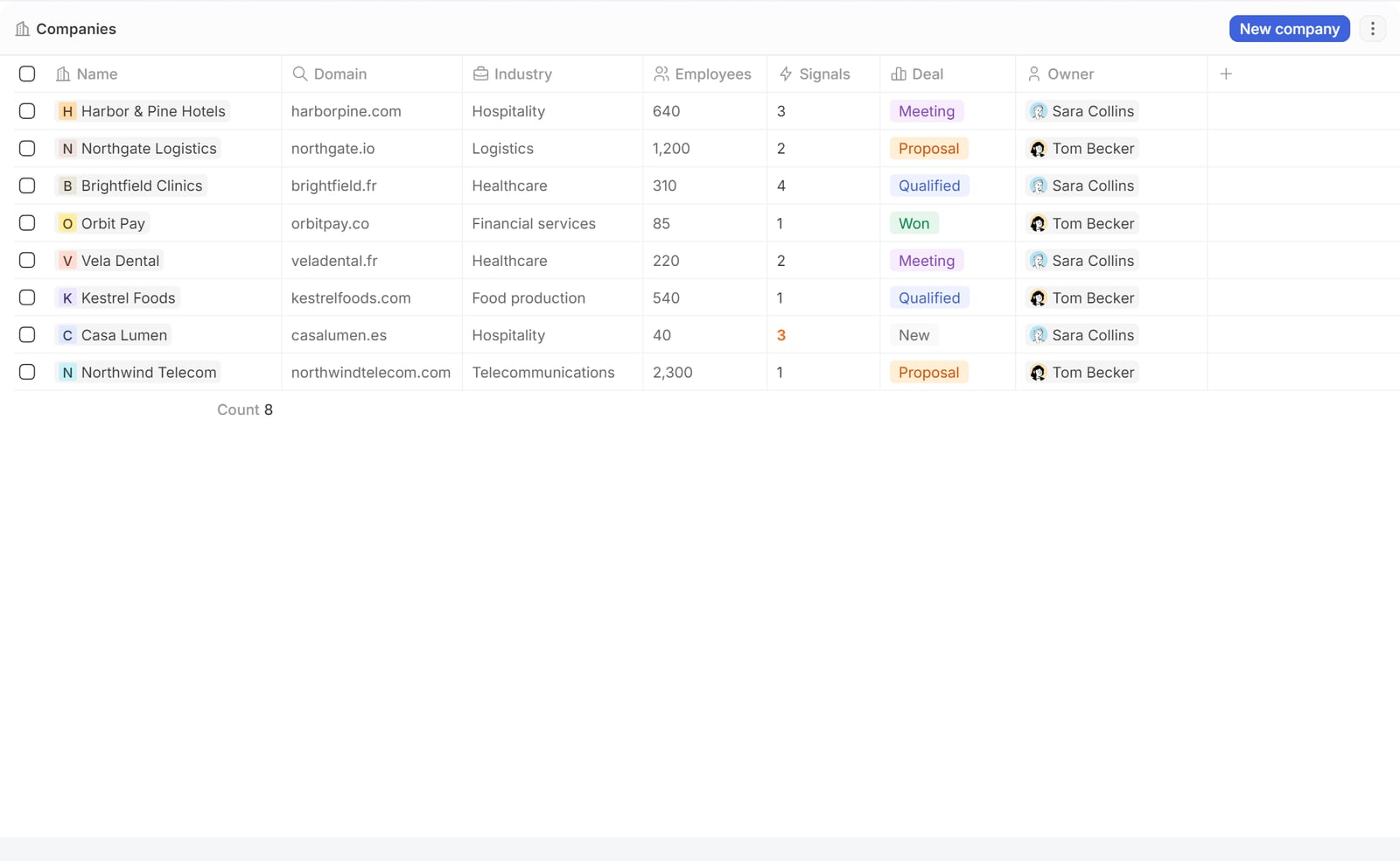
Tables, boards and views
Each page opens as a table. From the top right you can switch to a board (deals by stage, for example), a calendar or a list.
- Filter and Sort narrow the list: "people at companies with more than 200 employees, added this month".
- Options lets you group rows, show totals and choose columns. Drag a column's edge to resize it.
- Save a view to keep a filter and layout as a tab. Views can be private or shared with the team.
Open a record
Click a name to open the record, in a side panel or as a full page. A record shows:
- its fields, which you edit by clicking them;
- a timeline of everything that happened;
- its tasks, notes and files;
- the emails and meetings with that person or company, once a mailbox is connected;
- a chat thread for your team.
Add records
- New button at the top right, or Add New at the bottom of a table.
- Import a file of contacts or companies.
- Add to CRM from Signals and Leads.
- Automatically: people you email are added as contacts when your mailbox is connected.
Work on many at once
Tick several rows and a bar appears: Update a field on all of them, Enrich, Add to sequence, Add to list, Export or Delete. Two records for the same person or company can be merged.
Deleted records go to the trash and can be restored.
Deals
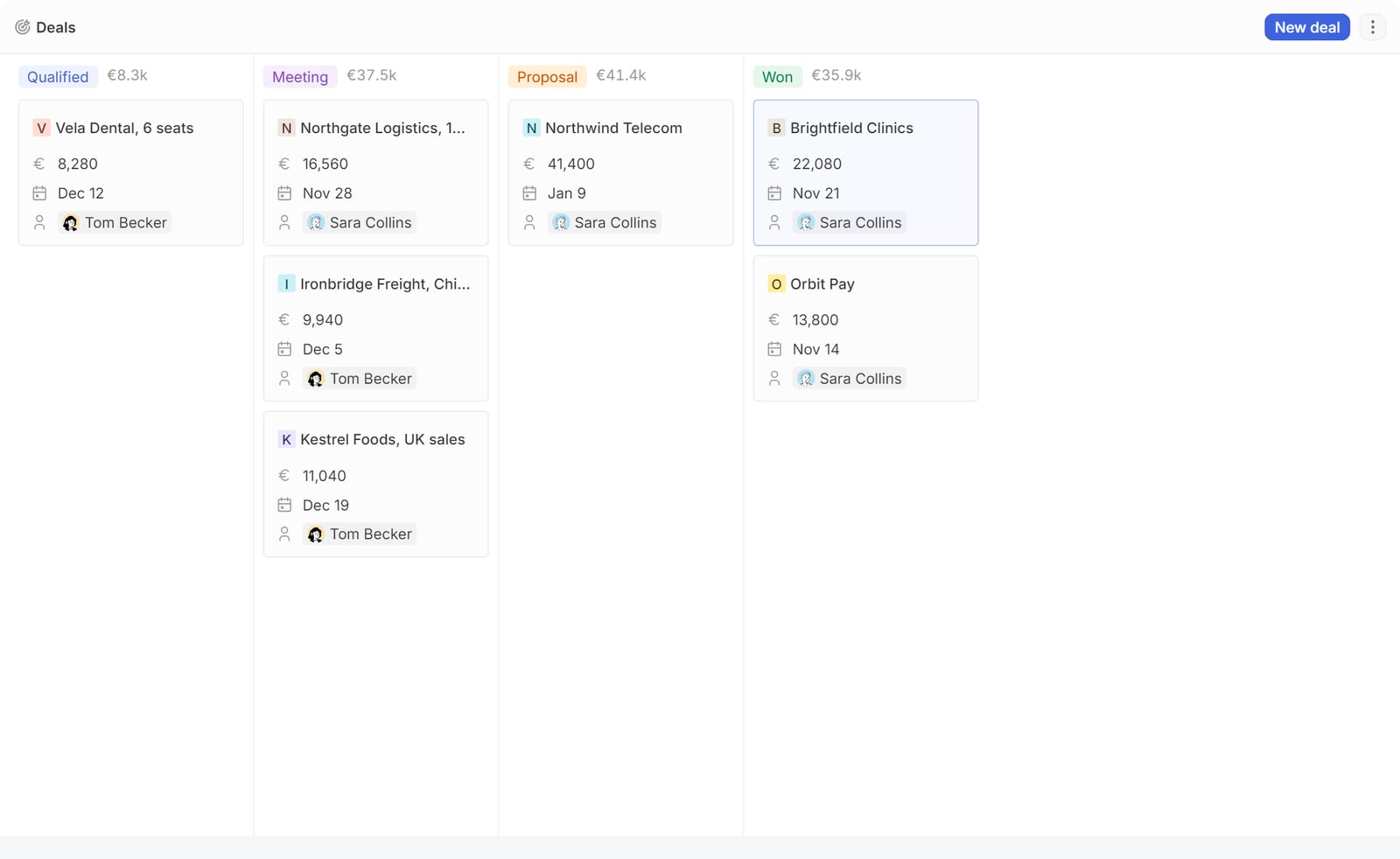
Open Opportunities and switch to the board. Drag a deal from one stage to the next as it moves. Each deal has an amount, a close date, a company and a point of contact, which is what Reports are built from.
Make it fit your business
Settings → Data model lets you add your own fields and even your own kinds of record. Settings → Business sets how you count revenue, your fiscal year and which stages mean won and lost.