Rodok

A signal tells you when to reach out. A lead list tells you who exists: everyone who holds a role you sell to, in a market you choose. Use Leads when you want to start outreach without waiting for something to happen.
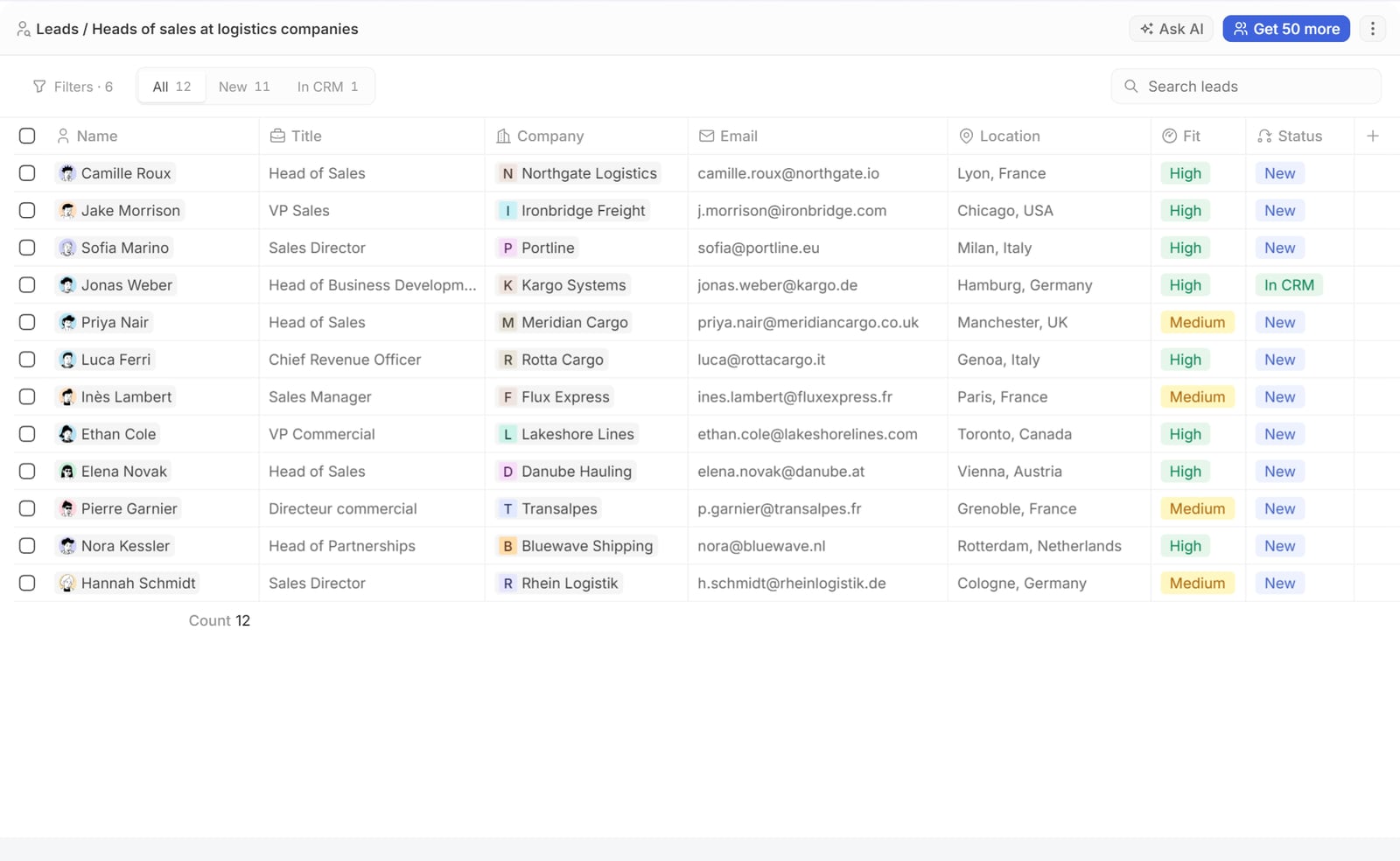
Build a list
- Open Leads and start a new list.
- Describe who you're looking for in one sentence: "Heads of Sales at logistics companies in the Netherlands with 50 to 500 employees".
- Rodok turns that into filters: job titles, seniority, industries, company size and location. Adjust them if needed.
- Choose how many people to find and run it.
Each lead comes with their name, title, company, LinkedIn profile and, for most, a work email. People already in your CRM are marked, so you don't contact someone twice.
Add leads to your CRM
Select the leads you want and click Add to CRM. Rodok creates the person and their company with what it already knows: industry, size, website and address.
From there you can enrich them to fill in a missing email or mobile, or add them to a sequence.
Get better lists
- Be specific about the role. "VP of Sales" and "Head of Sales" are different searches; list the titles your buyers really have.
- Set a company size. It's the quickest way to remove companies that are too small or too large for you.
- One market per list. Separate lists per country are easier to work and to write for.
Cost
Finding leads uses credits per lead found. See Plans and credits.