Rodok

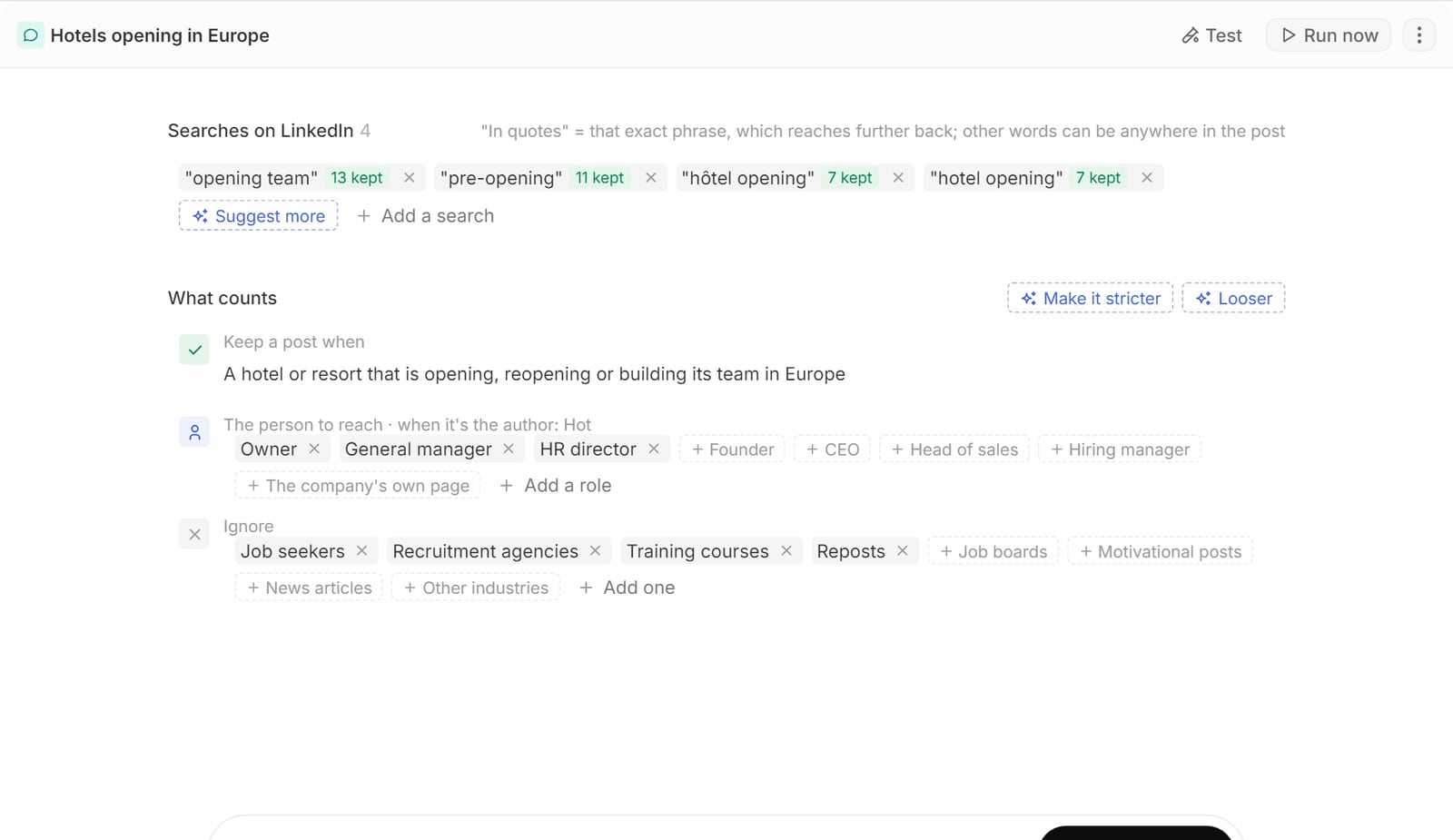
A tracker is one thing you want Rodok to watch for. You describe it in a sentence; Rodok turns it into LinkedIn searches, reads what they find every day and keeps only what matches.
Create one
- Open Trackers and click New tracker.
- Answer "What should Rodok watch for?" in one sentence.
- Rodok designs the tracker: the searches it will run, what counts as a match, and who to reach at the company.
- Run the test. It shows real results from the last days, with the reason each one was kept or dropped.
- Happy with it? Turn it on. It then runs every day.
What you can track
- LinkedIn posts: companies announcing hiring, openings, funding or new projects, and people asking for recommendations. Example: "Hotels in Morocco announcing an opening".
- Job changes: people who started a role in the last 90 days. Example: "New Heads of HR at companies with 200 to 1,000 employees in France".
- Lead lists: people by role, company and place, with their email, without waiting for a post. These land in Leads. See Find leads.
Write a sentence that works
- Say who, what and where. "Logistics companies in Germany hiring their first sales reps" beats "companies hiring".
- Name the event, not the industry alone. A tracker needs something that happens: a hire, a post, an opening, a move.
- Add the market. A country or city keeps results relevant and keeps the cost down.
- Start narrow. You can widen a tracker later; a wide one fills your Signals with noise.
Tune it
Open a tracker to change it. You can edit the searches, the rules for what counts, who to reach and the market. Talk to the assistant on the tracker's page to change it in plain words: "also include restaurants", "only director level and above".
Changing the searches or the market makes the next run read further back, so you don't miss what the new settings would have found.
Cost
Each run uses credits for the posts it reads and the ones it writes up. A tracker that reads a lot and keeps little is a sign the sentence is too wide. See Plans and credits.